Autonomous note creation system for healthcare professionals.
Nexus Wispr works in the background, turning conversations into structured notes so you can focus on care.
- Record
- Transcribe
- Structure

Explore how it works
From conversation
to structured notes.
Create your own style
Describe your ideal note by voice or text, or choose an editable template for your profession.
Consult
Start recording. Wispr works securely in the background while you focus on care.

Review your structured notes
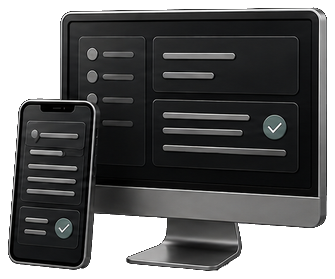
Review on your phone or desktop. Copy and save to your electronic health record.
Built around your workflow
Attach images
& documentsVoice-edit notes
& templatesCreate referrals
to other specialties
Easily search
ICD-10 & CPT codes
Designed for
your profession.
- Doctor
- Dentist
- Veterinarian
- PA / NP / Nurse
- Paramedic / EMT
- Aesthetic Professional
- Mental Health Professional
- Medical Admin / Receptionist
- Healthcare Assistant
- Allied Health Worker
- Student
- Other

Record on mobile.
Continue on desktop.
Scan to sign in
Scan a QR code to securely access your encounters on any desktop.
Continue where you left off
Review and edit your notes, with encrypted synchronization between your devices.
Copy into your EHR
Copy reviewed notes into your electronic health record. Keep the workflow you already use.

Ready for the way
your day unfolds.
Record even with the screen off
Keep recording while your phone is locked, helping save battery during the encounter.
Protected through interruptions
Wispr pauses for audio interruptions and saves your recording progress for recovery.
Record offline
Record without a connection. Upload and process your encounters when you’re back online.

The full picture.
In your notes.
Bring the context with you
Add images, documents, or camera shots during or after your consultation.
Included in your notes
Wispr interprets your attachments and incorporates relevant information into your structured notes.
Review, refine, organize
Review every draft. Edit by voice or text, then organize your encounters.

Keep care moving.
Referrals, ready to review
Create a referral to another specialty from the details already in your encounter.
Find the right code
Use voice search to look up ICD-10 and CPT codes.

Room for the
whole conversation.
Speak your language
Record consultations in many of the world’s most widely spoken languages.
Room for longer recordings
Record for hours when consultations, meetings, or handovers need more time.
Choose your microphone
Use your phone’s microphone or connect an external one.

Care is personal.
Privacy matters.
Encrypted connections
Your data is encrypted in transit as it moves between devices.
Private access
Account-based access protects your encounters. QR login keeps desktop access simple.
Deletion controls
Delete encounters when you choose.

Coming soon to mobile